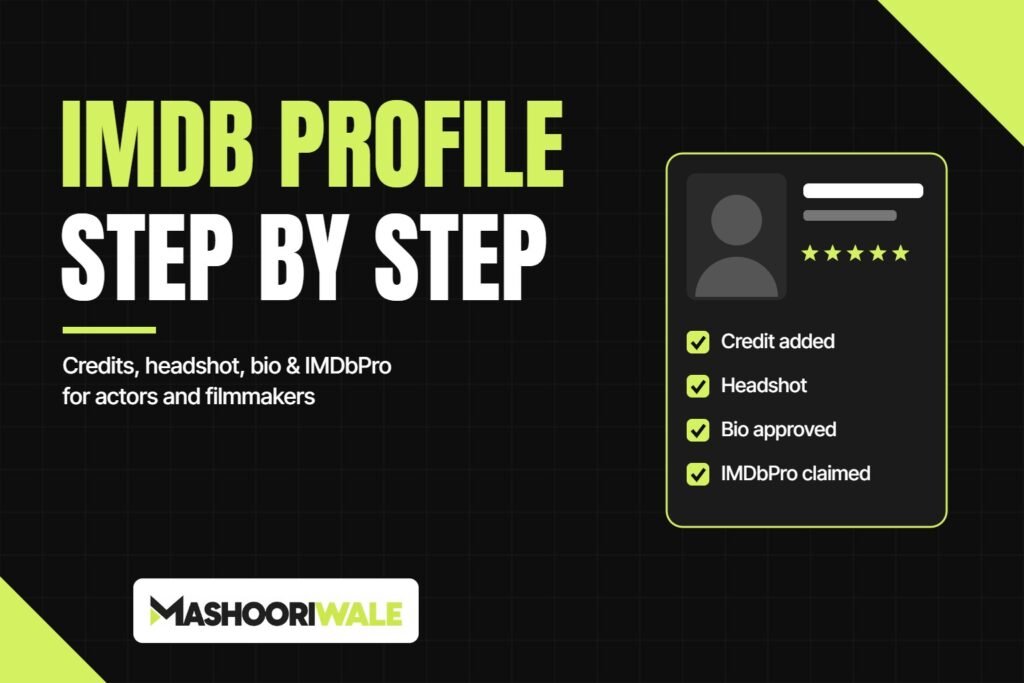
When a casting director, producer or festival programmer hears your name, one of the first things they do is search for you on IMDb. A clean, accurate page tells them you have real credits and are serious about your work. This guide walks you through IMDb profile creation step by step, from your first credit to your headshot and bio, and explains what IMDb needs before it approves anything.
One thing to know upfront: you can’t simply sign up and make an IMDb page for yourself the way you would on Instagram. On IMDb, a person’s page is created through a credit on a film, series or video that IMDb accepts. So the process starts with your work, not your profile.
Step 1: Check whether you already have a page
Before you add anything, search your name in the IMDb search box. You may already be listed, sometimes under a different spelling or with a middle name. If someone else added you from a project’s credits, a page might exist without you knowing. Creating a second page for the same person causes confusion and slows down approvals, so always check first. Also look for other people with the same name, so your credits don’t end up on someone else’s page.
Step 2: Make sure your project qualifies for IMDb
IMDb only lists titles that are of general public interest and have been available to the public. In practice, that covers a lot of the work artists in India do:
- Feature films released in cinemas or on streaming platforms
- Short films and documentaries, especially ones shown at film festivals
- Web series and online videos
- Music videos and commercials
- TV shows and episodes
What doesn’t qualify are private videos, such as home movies, and projects that can’t be verified. Very early-stage projects that are still in development are usually rejected, so it’s best to wait until there is something public to point to, like a festival selection, a release date announcement or a trailer on an official channel.
If the title isn’t on IMDb yet
Search for the film, series or music video. If it isn’t there, the title has to be added first using IMDb’s new title submission form. Keep proof ready: a link to where it’s released, a festival listing, press coverage or an official trailer. The stronger and more independent your evidence, the smoother the review. If you are the producer, add the title yourself so the core details (title, year, type, language, country) are correct from the start.
Step 3: Add your credit to the title
Once the title exists, open its page and click Edit Page. Under Cast and Crew, choose your department and the option to add credits, then fill in the form:
- Name: first name then surname, exactly as you want it to appear professionally. Pick one spelling and use it everywhere, because changing it later is harder.
- Character (for actors): the character name as it appears in the on-screen credits.
- Role (for crew): director, writer, cinematographer, editor and so on. Choose “Other” if your role isn’t listed.
- Attribute: use options like “uncredited” only if your name wasn’t in the on-screen credits.
Check your updates, review the summary and submit. Your submission goes to IMDb’s data editors, and you’ll get an email confirmation. If this is your first credit, this is the moment your name page gets created. Processing times vary, and IMDb publishes current estimates on its help site, so don’t resubmit the same credit if it hasn’t appeared yet.
Step 4: Claim your page with IMDbPro
IMDbPro is IMDb’s paid service for industry professionals. Most actors and filmmakers use it once their page exists, because it unlocks the parts of a profile that matter most to casting teams. With IMDbPro you can claim your page, which lets you:
- Upload headshots and choose your primary image
- Pick which projects show in your “Known For” section
- Add representation or direct contact details
- Upload a demo reel or showreel
- Get a short custom link to share your profile
IMDbPro has a free trial, so you can set up your images and details before deciding whether to keep the membership. Check the current pricing on the IMDbPro sign-up page, as it can change.
Step 5: Add a headshot that IMDb will accept
Your primary photo is the first thing people see. Uploading or changing images on your page needs an active IMDbPro membership and a claimed page. IMDb’s main rules for a primary image:
- Portrait (vertical) orientation, with your face clear and centred
- Only you in the photo, with no watermarks or logos
- At least 500 pixels wide, in JPG, PNG, GIF or BMP format
- No phone numbers, age, height, weight or advertising on the image
Use a recent, professionally shot headshot that actually looks like you today. A casting director should recognise you when you walk into the room.
Step 6: Write a bio that follows IMDb’s rules
Bios are added through the Edit Page button on your name page. IMDb has clear guidelines, and many bios get declined because people write them like a press release. Keep these points in mind:
- Write in English, in the third person, in full sentences, not as a CV
- At least 50 words
- Focus on your background and journey: where you grew up, your training, how you started and your breakthrough
- Don’t just repeat your filmography, since credits are already listed on the page
- No phone numbers, addresses, rumours or opinions
Once you’ve claimed your page through IMDbPro, you can replace your own bio, and other contributors can’t overwrite it.
Common mistakes that delay approval
- Creating a new page when one already exists under a different spelling
- Adding a title with no public proof of release or screening
- Using different spellings of your name across projects
- Promotional or first-person bios
- Low-quality or group photos as a headshot
IMDb works best alongside your other public profiles. If you’re building your presence as an artist, read our guide on IMDb vs Wikipedia and why every artist should have both. Producers getting a film ready for release can also check our strategies to promote a movie before release.
Want us to handle it?
Mashooriwale helps actors, singers and filmmakers set up and manage their IMDb presence, from listing new titles and credits to writing an approved bio. Take a look at our PR and profile services, contact us, or message us on WhatsApp at +91 73473 81939.